

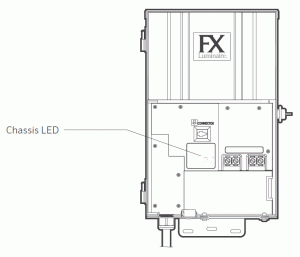
Indicator light displays the communication status of the chassis to the facepack. The following colors indicate the accompanying status:
- Blinking green: Communication established
- Orange: Communication error/facepack unplugged
- Facepack unplugged - plug in the cable and retry.
- Bad RJ11 Cable (Facepack Cable) - replace the cable and retry.
- RJ11 cable plugged into the wrong connector - verify cable is not connected into WiFi or LAN connectors.
- Faulty Facepack - replace facepack and retry
- Faulty Linking cable (Luxor Linking sites only) - remove Linking cable and check LSAT with facepack
- Red: Short or overload detected in the system
Still need help? We're here.
Tell us what you need support with and we'll find the best solution for you.