

Manual Configure (Network Mode Only)

- To use this function, you will need to obtain the IP address from the controller. On the controller, select Setup, then Wi-Fi.
- Make sure the status on the top line is Connected, and then note the IP address.
- Tap the Menu
 icon on the upper left-hand side.
- Disable Cloud Access if enabled.
- Tap Controller List.
- Tap Add Controller at the bottom.
- Type in the IP address shown on the controller, and leave 80 for the port number.
- Repeat the process if you have multiple controllers.
When you start the app, it will send commands to these controllers in addition to those it finds automatically.
NOTE: Disable Cloud Access to use the Manual IP Configuration mode.
Auto Configure
- From the HOME screen, navigate to the SETUP screen using the scroll wheel.
- Scroll to and select Wi-Fi.
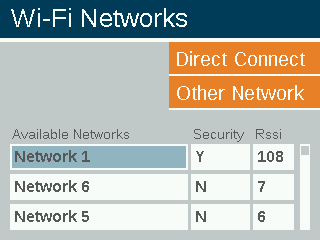
- Scroll to Network field and press scroll wheel to choose a specific network.
- Choose NETWORK.
- Scroll to the SETTINGS tab on your smartphone.
- Select the same NETWORK as you see in the controller.
Still need help? We're here.
Tell us what you need support with and we'll find the best solution for you.